How do I create an invoice without making a booking?
There will be some instances where you may need to raise an invoice for a client or company in your MotelMate database without creating a booking.
1. Go to the relevant guest/company record by clicking on the black tabs along the top and use the Quick Search.
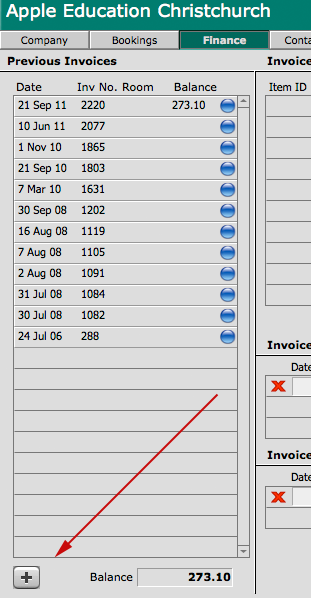
2. Go to their Finance section and click on the plus (+) button in the bottom left hand corner of the screen under the invoices list.
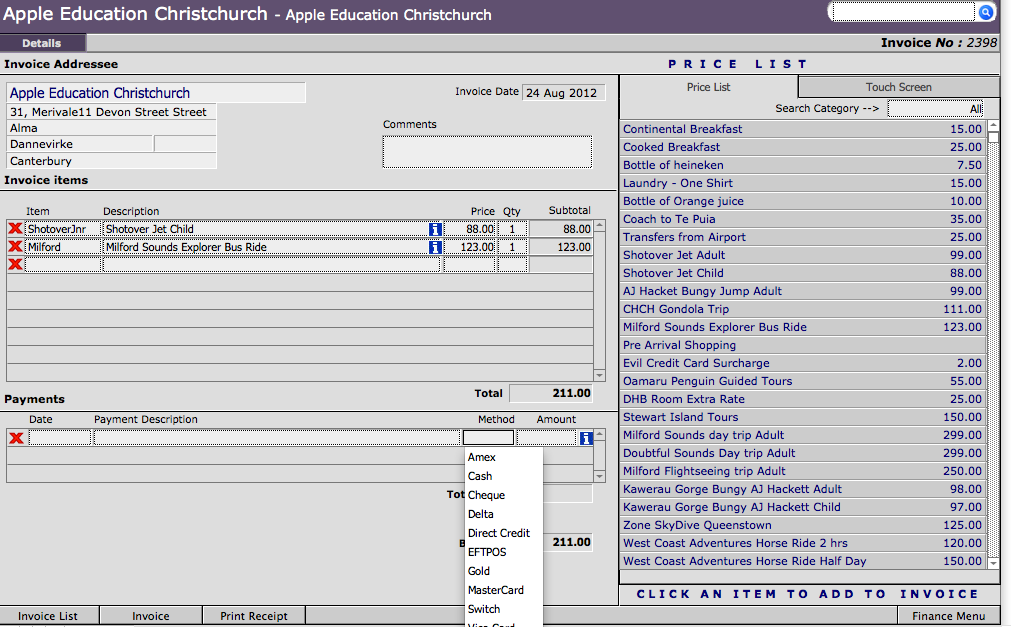
3. After confirming the message you will be taken to a screen whereby you can add line items to an invoice either manually (by keying directlyinto the first empty line under Invoice Items) or by selecting from your price list on the right hand side. You can also pay the the invoice from this page. To bring up the actual invoice click the Invoice button along the bottom of the screen